

Musicians are privileged to live in an era where access to decent recording capability and platforms to share or promote music, is more abundant than ever before.
To make decent recordings in “the good ol’ days,” you needed access to specialized equipment, which was nowhere near user-friendly and never, ever cheap. Therefore, you needed to get noticed by someone who had some money to invest in you to get the opportunity to record.
Things changed…
Then digital came along, and computers became household objects. The DAW was commercialized, and recording and editing audio became a matter of literally pointing and clicking.
Yes, you still need talent and good music to be successful. But, the ability to make decent quality recordings without a studio has now become simpler than ever. Of course, being the instant gratification society we are, we still want it simpler and, more importantly, portable.
Enter the smartphone…
The most adorned object and the invention of modern times. It can do almost everything and seems to add to its repertoire of tricks to keep us satisfied almost daily. But, how close are we to recording music with a smartphone? Which leads me nicely on to…
Can You Record Music on Your Phone?
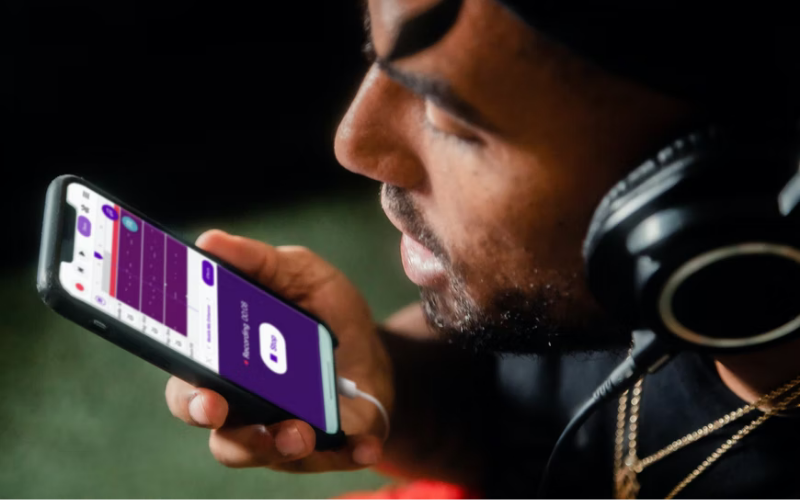
Maybe, you’re an amateur musician exploring the basics of recording, or you just want to lay down a simple three-chord song you’ve written. Or you could be a seasoned amateur who’s constantly keeping an eye open for new ways to capture audio.
Maybe you’re a musician seeking a practical solution to put down ideas as demos. Or, maybe even make high-quality recordings so you can have stems ready to mix when you get into a studio.
Many of these things are possible with smartphones. But, spending money before you know you’ll be able to capture a quality sound isn’t something you’ll probably want to do, especially if you’re on a tight budget.
In this article…
That’s why I’ve decided to explore a wide range of options for recording using a smartphone. This will include the use of built-in and third-party software (apps) as well as using external equipment to boost the quality of recordings.
In true 21st century fashion, there are options to suit any need. So, you’ll be spoiled for choice and can make a more informed decision.
Recording on a Smartphone?
Let’s start by answering that very basic question. The answer is yes; it’s relatively easy to make recordings on a smartphone. Not only music but basically anything. Also, it can be relatively cheap and simple if you want it to be.
It is also possible to make the process more costly and complicated by using added software and hardware. However, the bonus is this will boost the quality of your audio production immensely.
More possibilities…
It is even possible to go all the way and build what some might be called a small home or portable studio. If you go that far, you won’t believe the results that can be achieved. But, let’s not get ahead of ourselves.
I’m going to start by looking at how to make basic phone recordings using the built-in microphone on smartphones. Whether you have an iPhone or an Android, this will be the very bare-bones option available to anyone who wants to make basic recordings or demo sketches.
iPhone Voice Memos
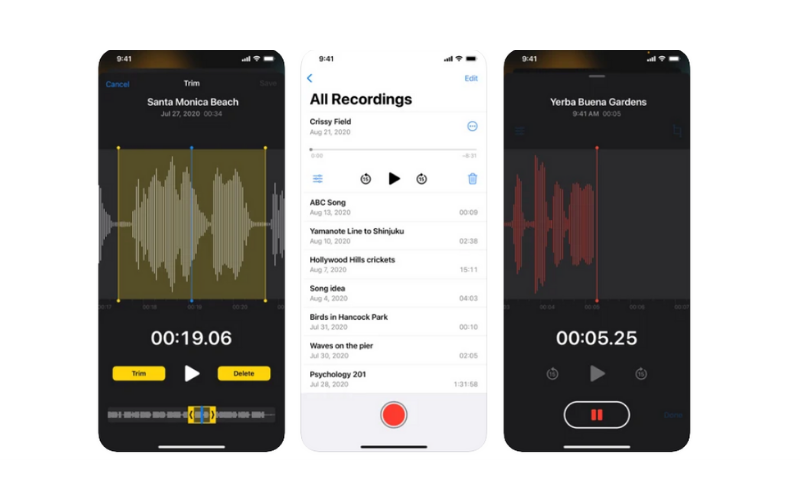
Utilizing the built-in microphone on your iPhone is as easy as making voice notes on WhatsApp. Your iPhone should come with a default suite of preinstalled apps. One of these is called Voice Memos. If you deleted it, you can re-download and install it from the AppStore for free.
Once you open the app, you’ll be greeted with a simple interface that has a large red record button at the bottom of the screen. Along with a simply measured ruler that will indicate the time running from left to right as you record.
How it works…
Make sure the microphone is facing towards your source (you and your instrument, for example). Try a few test runs to make sure you aren’t clipping (sending too strong a signal to the mic). Then, simply hit the red record button and start making your recording.
Once you are finished, hit the stop button and swipe right along the recorded waveform to go to the beginning. You can then playback your recording, share it, rename it, and copy it to another device for further processing.
Do note that you’re limited to one track per file. And, you’re making a 16-bit/44.1khz mono recording which will be in a Mpeg4 format.
Android Voice Recorder
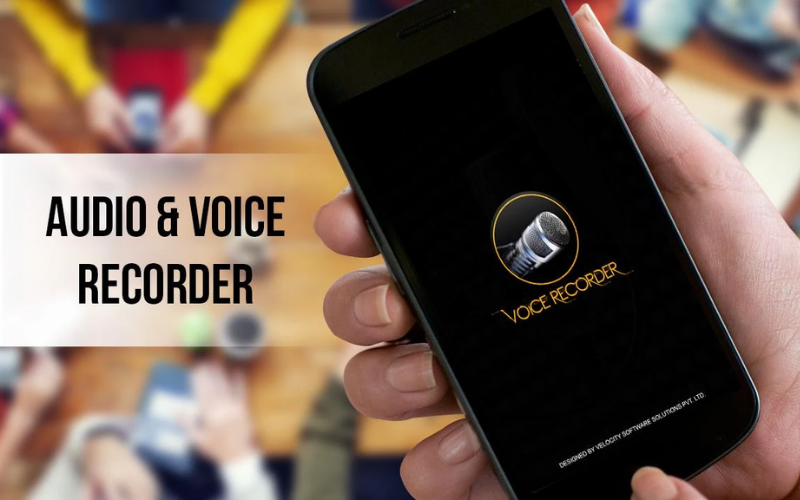
Just like Apple’s Voice Memos, Voice Recorder should be built into your Android device. Depending on your brand of phone, the name might be different.
At some point, Samsung phones changed the name from “Voice Recorder” to “Samsung Voice Recorder.” But, if it’s an Android device, it’ll be something along those lines.
How does it work?
Once again, make sure your phone’s microphone is pointing towards your sound source and check that your signal isn’t clipping. Simply tap the red circle to begin recording. The circle will be grey while you are recording.
Once you are finished, simply tap the circle again, and you’re done. You can do some basic editing and rename from within the app itself. The file can then be shared or transferred to your platform or medium of choice.
Quality won’t be anything close to professional, though. But it’s more than good enough for making demos or laying down sketches. That said, we now know the answer to the question, “Can you record music on your phone?” Yes, yes you can.
Advanced Smartphone Music Recording
Now that we’ve covered the two basic options for making basic low-quality recordings, we can get into the big guns. Some of these services are paid. However, some are free or have free versions for trial periods or indefinitely with limited functionality.
This list is by no means an accurate representation of all the options out there. New stuff is coming out daily. So, keep your eyes and ears peeled, and don’t be afraid to do some exploring.
Bandlab
When it comes to true believers in breaking down the boundaries that prohibited creators from bringing their ideas to fruition, Bandlab technologies are extremist. And I love them for it.
A completely free online DAW that allows you to access recording and editing functions over multiple tracks. Also, it gives you access to more than 200 virtual instruments which are crafted by professionals.
Too good to be true, right? It gets even better…
Bandlab allows you to collaborate with other users across the globe in single sessions. They can be on the other side of the world and record some vocals or guitar for you.
It offers easy connectivity with a recording interface. This allows you to up the quality and introduces more recording options like XLR microphones and quarter-inch jacks for guitars.
Finally, Bandlab comes with tons of free tutorials and a dedicated support team. The company has been working hard to make music a globally free resource. And they’ve come a long way from where they started, and it’s still absolutely free.
FL Studio Mobile
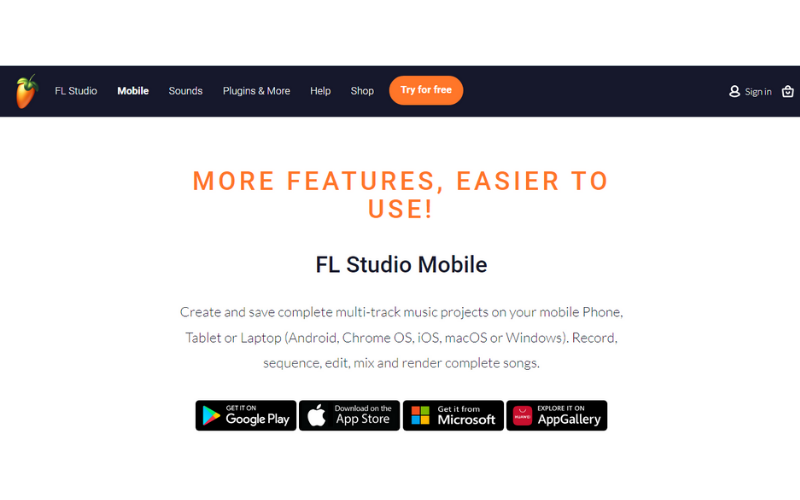
FL Studio is already one of the world-leading DAWs. It is used by professionals and amateurs across the world to create and share music. Therefore, expectations were high when they announced that they were releasing a mobile version of their award-winning DAW.
Honestly, whatever those expectations may have been, they were met and exceeded. FL Studio mobile has got to be one of the most comprehensive mobile recording solutions available.
Not only is this one of the best-looking mobile recording software out there, but it’s also got some of the most vigorous tech support of any DAW. Regular updates and customer feedback are often mentioned by reviewers of the desktop and mobile versions.
So, what can it do?
You can create complex multi-track projects and export them in MP3, WAV, and MIDI format. The projects can contain both audio and MIDI tracks processing in real-time.
The package is quite large; it takes up the better part of a gigabyte. But, that’s a small price to pay for access to over 133 sampled instruments, including synthesizers, drum machines, drum kits, pianos, voices, and so much more.
Almost all the effects available in the normal version of FL Studio are available in their full or restricted capacity. If that is a problem, you can export your project in FLM format so that it can be opened and continued on your Mac or PC version of FL studio.
If all that isn’t good enough…
You can add a whole arsenal of instruments and extra effects as .zip files. That way, you can turn your smartphone into a mobile studio. FL Studio Mobile also offers the ability to connect MIDI devices and recording interfaces for further functionality and higher quality projects.
Steinberg Cubasis 3
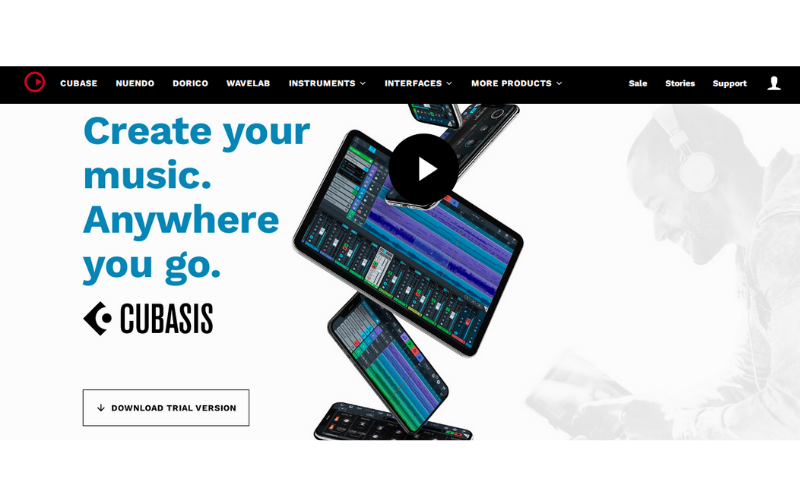
Of course, I had to include the original gangsters. Steinberg has been the leader in making music recording, editing, and creation available to the masses for as long as digital recording has existed. For that, they deserve respect.
Cubasis is the miniature version of their award-winning DAW, Cubase. It has won its fair share of awards as well. Yes, you’re going to be paying a premium, but you’ll be buying what is easily ranked amongst the best out there.
Why is that?
You can create an unlimited amount of tracks and export and import multiple audio formats. There can be MIDI, audio, or even hybrid tracks. A fine selection of synthesizers, drum machines, samplers, and sampled instruments accompanies the software.
There is, of course, support to connect recording hardware like mobile interfaces or USB microphones and such. Not only this, but you’ll also be getting access to Steinberg exclusives, like Roli noise.
More things to like…
Users of Waves plugins will be happy to know that Cubasis support a whale range of mobile Waves plugins. And, if you already own the full version, you can use your existing license to activate the plugin within Cubasis.
Cubasis has been used by many professional musicians and producers, one of the most notable being Rob Swire of Knife Party, DeadMau5, and Pendulum.
Audio Evolution Mobile
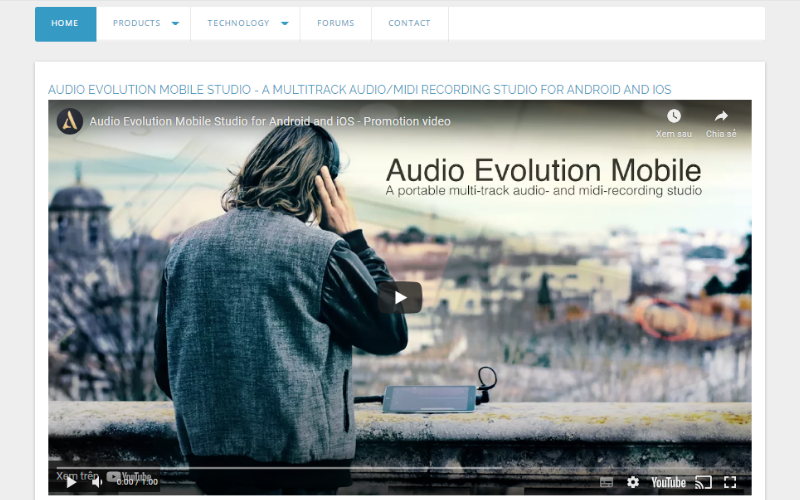
Audio Evolution Mobile is one of the newer options rearing its head. The software is unique in that it specifically targets users on mobile devices like smartphones and tablets. So, if someone asks, “Can you record music on your phone?” point them to this gem.
Audio Evolution Mobile’s free version offers access to three tracks which can be MIDI, audio, or both. If you want more tracks than that, you’ll have to pay. But, the service is considerably cheaper than other mobile recording apps.
Where it stands out…
One thing I can say in Audio Evolution Mobile’s favor is the user-friendliness and interface. This app is the least intimidating of any mobile recording app out there. It’s got a bunch of helpful electronic material online if you struggle with anything. Honestly, I was up and away in minutes.
Audio Evolution mobile doesn’t come with a collection of sampled instruments and other VSTs, so you’ll have to use your instruments. However, you can connect an audio interface for better quality and less latency.
Furthermore, USB microphones are supported. They are a great way to improve the quality of vocal performances and acoustic guitar parts. There is also a suite of effects and utilities to edit and tweak your tracks to perfection. Once you are happy, you can easily share and export in various formats.
J4T Multitrack Recorder
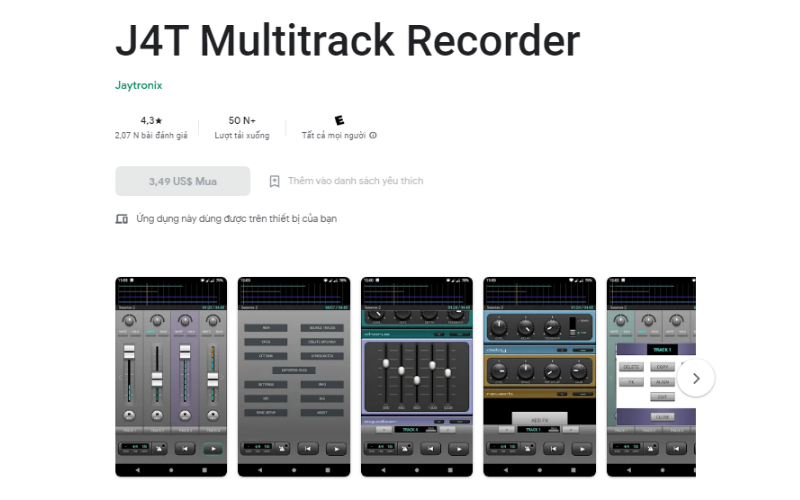
This one is perhaps not a comprehensive all-in-one music creation suite cramped into your pocket. But, then again, that’s not what everyone wants. Some are singer-songwriters who prefer to do their mixing and editing in their studio at home or with their chosen professionals.
That being said, sometimes you’d love to get just a basic idea of what certain elements together might sound like. Or whether your drum and guitar parts will work well together. In either case, J4T is the one you’re looking for.
How so?
You have access to basic recording and editing functionality. To record, you can use either the built-in mic, an interface, or a USB microphone. Furthermore, there’s a nice selection of good-sounding effects, and the interface is stylish and easy to use.
This one is not going to allow you to create massive complex projects. But, it’s perfect for making demos and sketches that have that extra bit of polish to them. Sadly, there are no virtual instruments included, so this one is just for recording.
But, there is a very handy looping function. Also, you can render multiple tracks down to a stereo file. That frees up more tracks so that you can add more elements to your mix. This is a very nice feature for the developers to add since you are limited to four tracks per project.
Amplitube for iOS
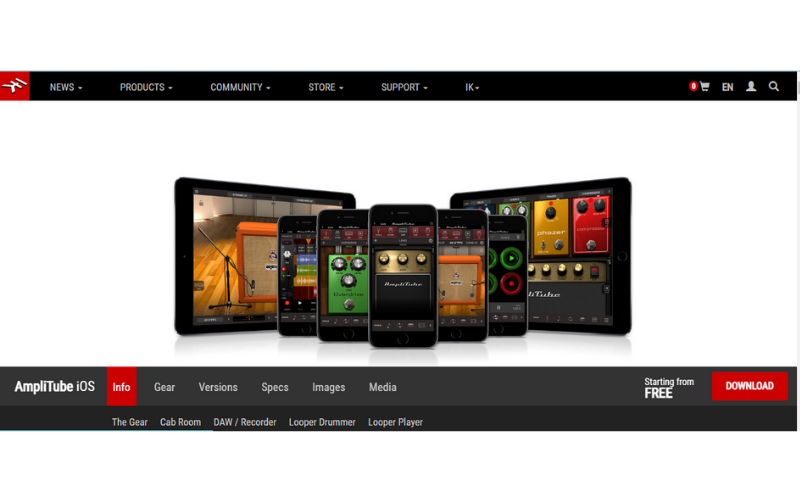
This one will be familiar to anyone who has used IK Multimedia’s award-winning guitar plugin Amplitube. This is a stripped-down version of that monster plugin. But, it still offers the ability to build rigs that you could normally only dream of.
I know this option might seem a bit odd since not everyone is a guitar player. But, the fact that you have access to an 8-track recorder and can use USB interfaces means that you can record virtually anything, not just a direct guitar signal.
Guitarists will love it…
Amplitube gives you access to a superb collection of amplifiers and cabinets. You can tweak the knobs and mic position to create a truly unique sound. On top of that, you can add six stompboxes per chain, which, if used creatively, can create a wide variety of sounds.
The 8-track recording studio that comes with Amplitube is one of the biggest highlights. It has all the functionality of a real mixing desk and recording studio. With some of the best microphone and room sound emulation in the world, you’ll notice it’s worth tweaking each track individually.
More to like…
The comprehensive interface allows you DAW raw waveform editing and easy arrangement. There’s even access to sends for each channel, so you can mix your reverb in the old-school way.
When you’re done, you can mixdown and export in either m4a or WAV files. Unfortunately, this one is only available for Apple devices at the moment.
Can You Record Music on Your Phone? – Conclusion
Looking for a full-on studio in your back pocket or just a simple recording and editing companion for simple demos? If so, there’s an option for everyone’s mobile recording needs. But take care to check the specs of your device before you download or purchase one.
And, don’t underestimate the value of investing in some external hardware like a USB microphone or MIDI controller for added functionality. Most of all, make sure to let your creativity guide you when you start making your recordings and have the courage to press that red button.
Until next time, let your music play and yourself be heard.
